
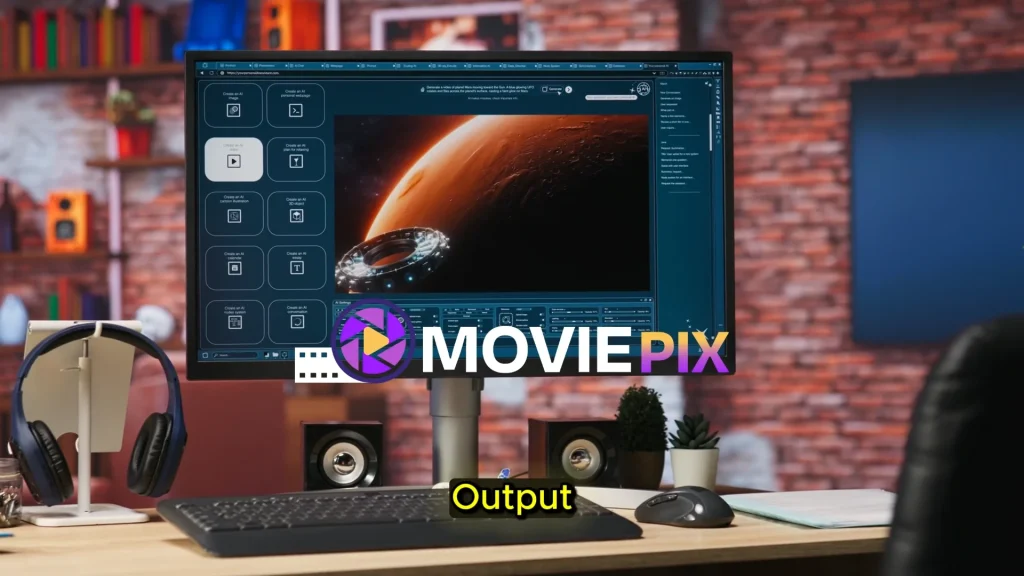
Review Basis / Transparency Note
This MoviePix AI review is based on the official sales page, checkout page, and publicly available product information. I have not personally tested the full dashboard, animation quality, rendering speed, voiceover quality, multi-episode consistency, export limits, watermark rules, commercial license document, or customer support.
Because MoviePix AI is related to AI video creation, faceless content, YouTube growth, client services, affiliate marketing, and possible online income, this review does not guarantee earnings, views, subscribers, commissions, clients, or business results.
Your results will depend on your niche, prompts, storytelling quality, editing, consistency, audience demand, platform rules, and marketing strategy.
Quick Verdict
MoviePix AI may be worth considering if you want a low-cost AI tool that helps create animated videos, cartoon-style clips, trailers, and show-style content from simple prompts.
The main appeal is speed. Instead of hiring animators, voice actors, editors, writers, and sound designers, MoviePix AI claims to handle scripts, scenes, character voices, music, sound effects, editing, and animated output from one dashboard.
However, this is not a push-button income system. It may help you create content faster, but you still need to check the final output, improve weak scripts, avoid copyright issues, publish consistently, and build content that people actually want to watch.
Affiliate Disclosure
This article may contain affiliate links. If you purchase through my link, I may earn a commission at no extra cost to you. This does not affect my review. My goal is to explain what MoviePix AI offers, who it may help, what the limitations are, and what you should check before buying.
What Is MoviePix AI?
MoviePix AI is an AI animated show creator designed to turn simple text prompts into animated videos and show-style content.
The product is promoted as an “AI Show Creator & Runner Agent.” In simple words, you give the tool an idea, and it helps generate a script, animated scenes, dialogue, voiceovers, music, sound effects, and final video output.
MoviePix AI is mainly aimed at people who want to create animated content without traditional production skills. That includes faceless YouTube creators, social media creators, affiliate marketers, freelancers, agencies, storytellers, and beginners who want to test animated videos.
Traditional animation is expensive and time-consuming. You normally need a writer, storyboard artist, animator, voice actor, sound designer, editor, and production tools. MoviePix AI tries to simplify that process by putting the main production steps into one AI-powered workflow.
How Does MoviePix AI Work?
MoviePix AI appears to follow a prompt-based creation process.
First, you enter a simple idea or prompt. This could be a comedy skit, cartoon story, educational episode, fantasy scene, horror short, anime-style concept, sci-fi story, motivational video, or social media clip.
Then the AI generates the script and scene structure. This may include dialogue, story flow, scene direction, characters, and pacing.
After that, the platform creates animated visuals, adds character voices, includes background music and sound effects, and prepares the final video or show-style output.
The appeal is clear. Instead of managing many different tools, MoviePix AI claims to handle the creative workflow from idea to finished video.
For beginners, this could remove a lot of friction. You do not need to learn complex animation software, record your voice, hire freelancers, or edit everything manually from scratch.
Main Features of MoviePix AI
One of the main features is the AI Script Generator. This helps turn basic ideas into scene-by-scene scripts with dialogue, structure, and storytelling flow.
The Animated Scene Creator is another important feature. It is designed to generate animated scenes from prompts, allowing users to create visual story content without traditional animation skills.
MoviePix AI also includes an Animation-Style AI Show Generator. This is the core feature that positions the tool as more than a simple video generator. It claims to help create multi-episode animated shows and longer show-style content.
The AI Show Builder helps assemble multiple clips into a complete animated experience. This may be useful if you want to create episode-based content rather than only short one-off clips.
Emotion AI Voiceovers are also included. The sales page says the tool can generate male and female voiceovers in more than 70 languages with different tones, moods, and cinematic expressions. Voice quality is important because weak narration can make animated content feel low quality.
MoviePix AI also includes an Image to Animated Video Tool. This feature allows users to upload an image and turn it into animated video clips with motion effects and preview options.
Another useful feature is multi-genre creation. The product mentions cartoon, anime, sci-fi, horror, comedy, action, and other styles. This gives creators flexibility to test different content niches.
The AI Background Sound Engine helps add music, effects, and soundtracks to videos. This can make the final output feel more polished.
The AI Trailer Generator can help create teaser clips or short promotional videos for longer content.
Commercial license is included according to the sales page. This may be useful for people who want to monetize or sell content they create, but buyers should still read the final license terms carefully.
MoviePix AI Pricing
MoviePix AI is currently shown at $12 on the checkout page. The sales page presents it as a low one-time fee instead of a monthly subscription.
There is also an optional PRO upgrade on the checkout page. The upgrade mentions enhanced AI functionalities, extra templates, extra full-length series, faster rendering, and dedicated VIP support.
For a low front-end price, MoviePix AI may look attractive for beginners who want to test AI animation without paying for expensive tools or freelancers.
However, price should not be the only reason to buy. Before purchasing, check the final checkout page carefully and look for:
- Current price
- Upgrade offers
- Usage limits
- Export limits
- Watermark rules
- Rendering speed
- Commercial license terms
- Support details
- Refund policy
Launch prices can change, so always verify the checkout page before buying.
Refund Policy
MoviePix AI includes a 30-day refund policy on the checkout page. The checkout page says users can request a refund within 30 days if the product is not a fit.
The sales page also mentions a 30-day money-back guarantee, but it includes conditional wording around technical issues and results. Because of that, buyers should read the refund details carefully before purchasing.
Before buying, confirm whether the refund applies only to the front-end offer or also to upgrades. Also keep your purchase receipt and support contact details after checkout.
A refund policy is helpful, but it should not replace proper research. Buy only if the product fits your actual content creation needs.
Pros and Cons
Pros
MoviePix AI is beginner-friendly because it uses a simple prompt-based workflow. You can start with an idea instead of learning complex animation software.
It combines several production steps in one dashboard, including scriptwriting, animated scenes, voiceovers, music, sound effects, trailers, and editing.
The one-time launch price is affordable compared with hiring animators, editors, voice actors, or video freelancers.
The tool may help faceless creators create more content faster. This is useful for YouTube, TikTok, Instagram Reels, Facebook, X, and short-form video platforms.
The multi-genre support gives creators flexibility. You can test cartoon, anime, horror, comedy, sci-fi, action, educational, or storytelling content.
Commercial license is included according to the sales page, which may help freelancers, agencies, and marketers who want to create content for monetization or client work.
Cons
This review is not based on hands-on testing, so I cannot verify the real quality of the animation, voiceovers, scene consistency, rendering, or dashboard performance.
The sales page uses strong income and monetization language. Buyers should not assume they will make money just because they can generate animated videos.
AI-generated animation still needs human review. Scripts may be weak, scenes may feel generic, characters may lack consistency, and voiceovers may need improvement.
There are copyright and trademark risks. The sales page references famous animated shows, but users should not copy protected characters, names, voices, logos, story worlds, or recognizable styles.
The final quality may depend heavily on prompt skill. Better prompts usually create better outputs.
The full upgrade funnel, usage limits, and license details were not fully verified from the main page alone.
Who Is MoviePix AI For?
MoviePix AI may be a good fit for beginners who want to create animated videos without hiring a production team.
It may help faceless YouTube creators who want to produce story videos, cartoon-style clips, educational animations, explainer videos, or short episodes.
Social media creators may use it for short animated clips on TikTok, Instagram Reels, YouTube Shorts, Facebook, and X.
Freelancers and agencies may use it to create simple animated content for clients, such as promo videos, explainer clips, social media ads, or storytelling content.
Affiliate marketers may use animated content to explain products, create review-style videos, or build niche video assets.
Storytellers and writers may also find it useful if they have ideas but do not know how to animate them.
Who Should Avoid MoviePix AI?
You should avoid MoviePix AI if you expect guaranteed income, instant viral videos, automatic YouTube growth, or effortless commissions.
You should also avoid it if you need professional studio-level animation for high-end commercial work, broadcast projects, films, or premium client campaigns. AI animation can help, but it may still need editing and quality control.
If you are not willing to review and improve the output, this tool may disappoint you. AI content usually needs human direction.
You should also avoid using MoviePix AI to copy existing shows or characters. Creating original content is much safer than trying to imitate famous franchises.
Common Concerns Before Buying
The first concern is output quality. AI video tools can create interesting results, but they may also create inconsistent characters, weak motion, awkward transitions, or generic visuals.
The second concern is originality. If many users use similar prompts, some content may look similar. To stand out, you need unique story ideas, original characters, better hooks, and consistent branding.
The third concern is platform policy. YouTube and social platforms may not reward low-effort AI content. Focus on originality, watch time, engagement, and real viewer value.
The fourth concern is copyright. Do not use copyrighted characters, branded worlds, famous show names, protected voices, or trademarked elements.
The fifth concern is monetization. Creating videos faster does not guarantee revenue. You still need audience demand, strong topics, thumbnails, titles, retention, and consistency.
Alternatives to MoviePix AI
If you want more established AI video tools, you can compare MoviePix AI with tools like Runway, Pika, HeyGen, Synthesia, InVideo AI, Fliki, Canva AI, and other AI animation or video generation platforms.
If you want more control, you can build your own workflow using ChatGPT for scripts, an AI image tool for character concepts, an AI voice tool for narration, and CapCut or Premiere Pro for editing.
The advantage of MoviePix AI is that it tries to combine many animation production steps into one simple dashboard.
The limitation is that users should test output quality before depending on it for serious content or client work.
Final Recommendation
MoviePix AI is worth considering if you want an affordable AI tool for creating animated videos, trailers, and show-style content from prompts.
It may be useful for faceless YouTube creators, social media creators, freelancers, marketers, storytellers, and beginners who want to test AI animation without spending a lot of money.
The strongest value is speed. If the tool works as described, it can help you move from idea to animated content much faster than a traditional production workflow.
However, I would not recommend treating it as a guaranteed income system. Use it as a creative assistant, not a business shortcut. Start with short videos, test output quality, avoid copyright problems, improve the final edits, and publish content based on real audience response.
Overall, MoviePix AI looks like an interesting low-cost AI animation tool, but it should be used with realistic expectations, quality control, and original ideas.
FAQ
What is MoviePix AI?
MoviePix AI is an AI animated show creator that claims to turn simple prompts into animated videos, scripts, scenes, voiceovers, music, sound effects, trailers, and show-style content.
How much does MoviePix AI cost?
The checkout page shows MoviePix AI at $12 at the time of checking. Pricing may change, so always confirm the current price before buying.
Does MoviePix AI have a refund policy?
Yes. The checkout page mentions a 30-day refund policy.
Can beginners use MoviePix AI?
Yes. MoviePix AI is positioned as beginner-friendly and uses a prompt-based workflow.
Can I use MoviePix AI for YouTube?
Yes. The sales page mentions YouTube and other social platforms as possible publishing channels. You should still follow platform rules and avoid low-effort or copyrighted content.
Does MoviePix AI guarantee income?
No. MoviePix AI does not guarantee income, views, subscribers, clients, or commissions. Results depend on your content quality, niche, strategy, consistency, and execution.
Can I create content like famous animated shows?
You should not copy protected characters, names, voices, logos, story worlds, or recognizable copyrighted elements. Use MoviePix AI to create original animated content.